Set the default tax rate
Who this is for. Shop owner.
Watch it
10 seconds, narrated, captions on. Sample shop. Made-up names and tickets.
What the clip says
Settings, Tax tab. One field: Default tax rate. Change it and Save. Any single line can still be exempt or use another rate.
Default tax rate is a single percentage on the Tax tab. It fills in every new line unless the customer is tax exempt, and any single line can still be changed by hand.
Steps
- Settings, Tax tab.
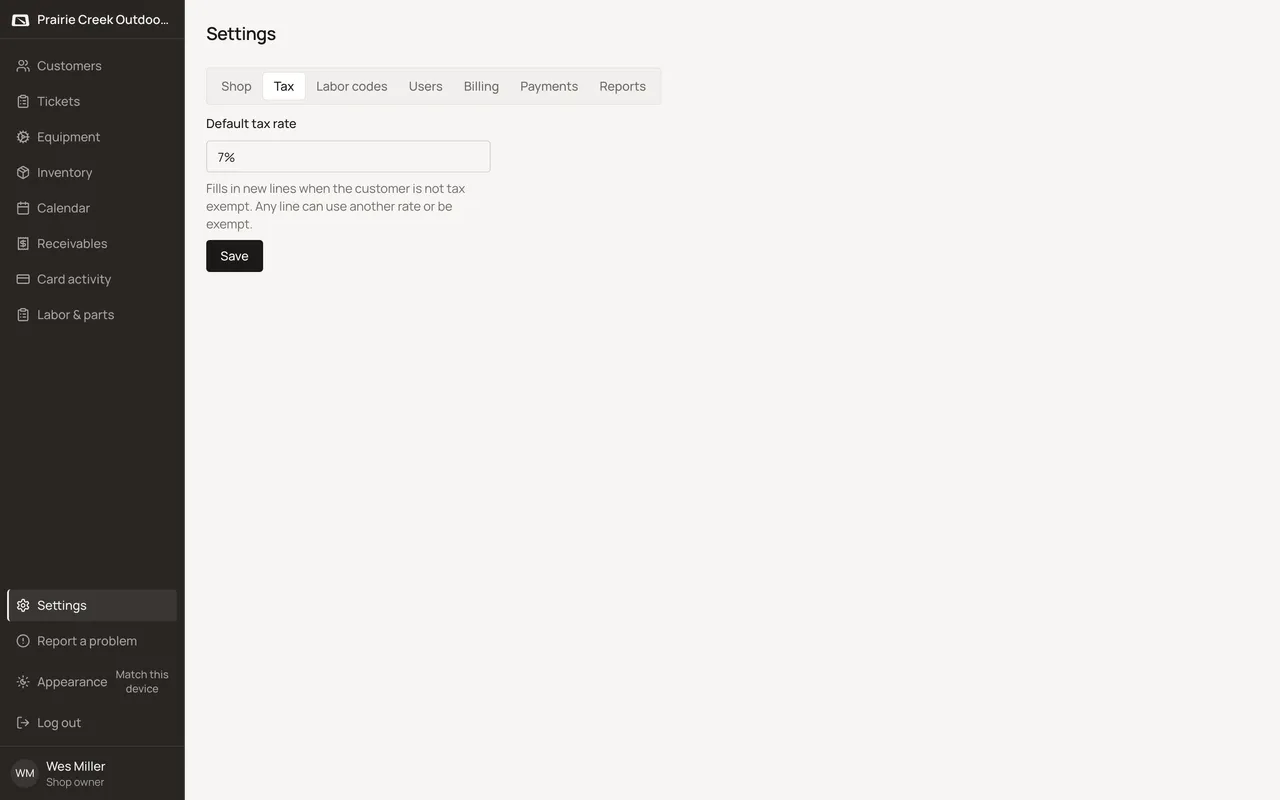
- Set Default tax rate, then click Save. The confirmation reads “Default tax saved.”
- A single line on any ticket can still use a different rate, or be marked exempt, independent of this default.
What happens to money and stock
Nothing moves yet. The new rate only applies to lines added after Save; nothing already on a ticket changes.
Watch out for
- A brand-new shop starts with a generic 7% rate nobody chose for it. Check it against your own state and county before the first ticket.
Not yet
One default rate per shop. There is no way to set different rates by product, category, or line type.
Updated September 16, 2026