Manage billing from Settings
Who this is for. Shop owner.
Watch it
Clip coming.
The Billing tab shows Status, Plan, price, and the trial or renew date, with Pay $40 a month or Manage billing depending on whether a card is on file. This is the shop’s own $40 a month ReedPort bill, not the Payments tab where the shop takes its customers’ cards.
Steps
- Settings, Billing tab.
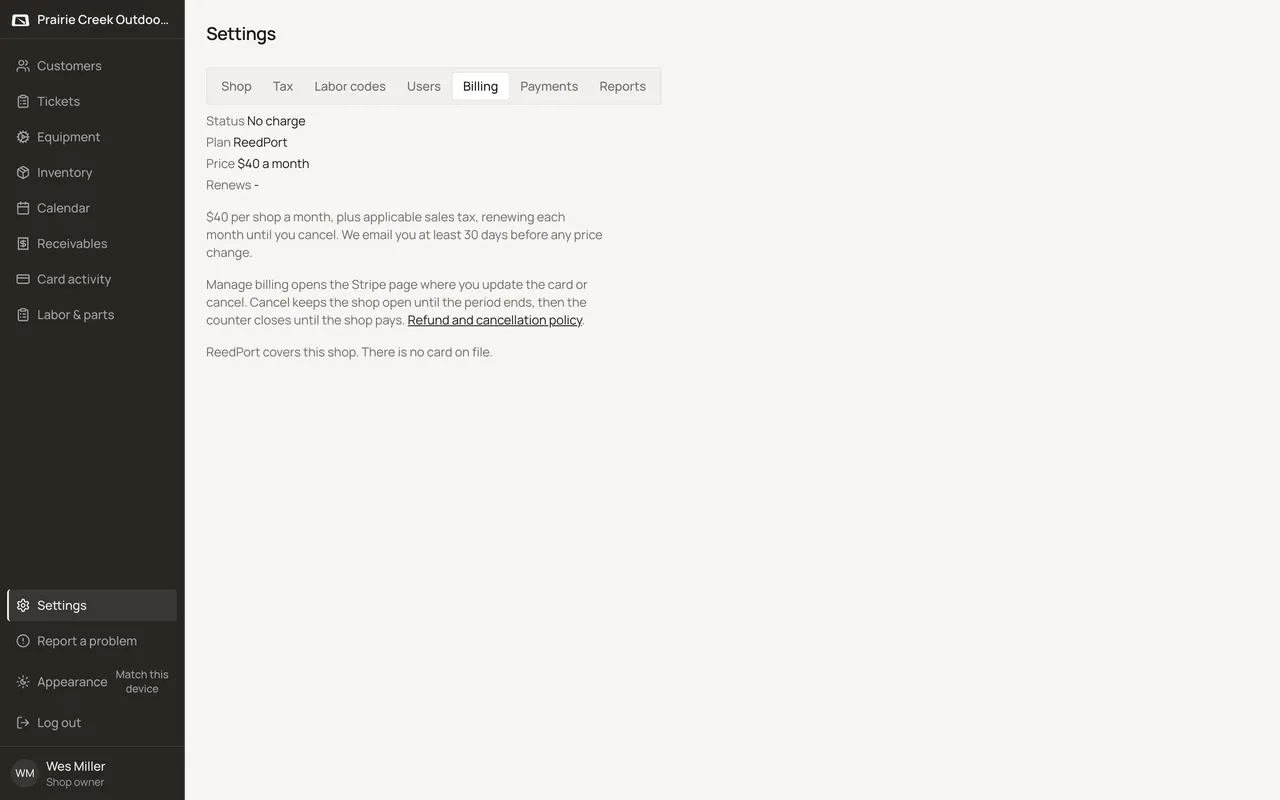
- Click Pay $40 a month to start paying, or Manage billing once a card is already on file. See Add a card and start paying for the full walk-through.
What happens to money and stock
Nothing moves here. Stripe owns the actual charge. See Add a card and start paying.
Watch out for
- Same screen and steps as adding a card and starting the subscription. See Add a card and start paying.
Updated September 16, 2026