Set up labor codes
Who this is for. Shop owner.
Watch it
16 seconds, narrated, captions on. Sample shop. Made-up names and tickets.
What the clip says
Settings, Labor codes. A starter set is already here. Add a code: a code, a description, flat or hourly, and a default amount. Save. It shows up as a quick pick on every ticket.
Each labor code has a Code, a Description, and a mode: Flat (one default amount) or Hourly (default hours times a rate). A new shop already has three starter codes to check before the first ticket.
Steps
- Settings, Labor codes tab.
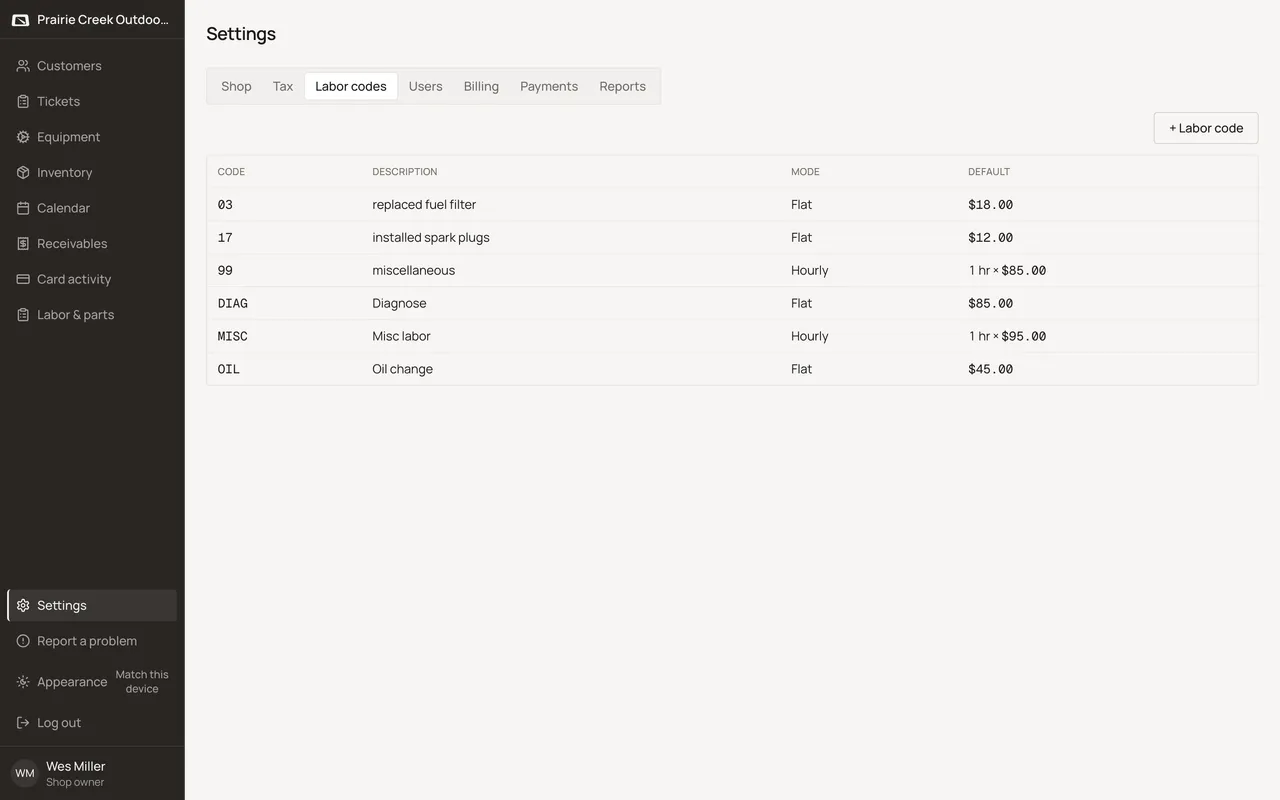
- Click + Labor code to add one, or click any row to edit it.
- Fill Code, Description, and Mode. Flat asks for a Default amount; Hourly asks for Default hours and a Default rate.
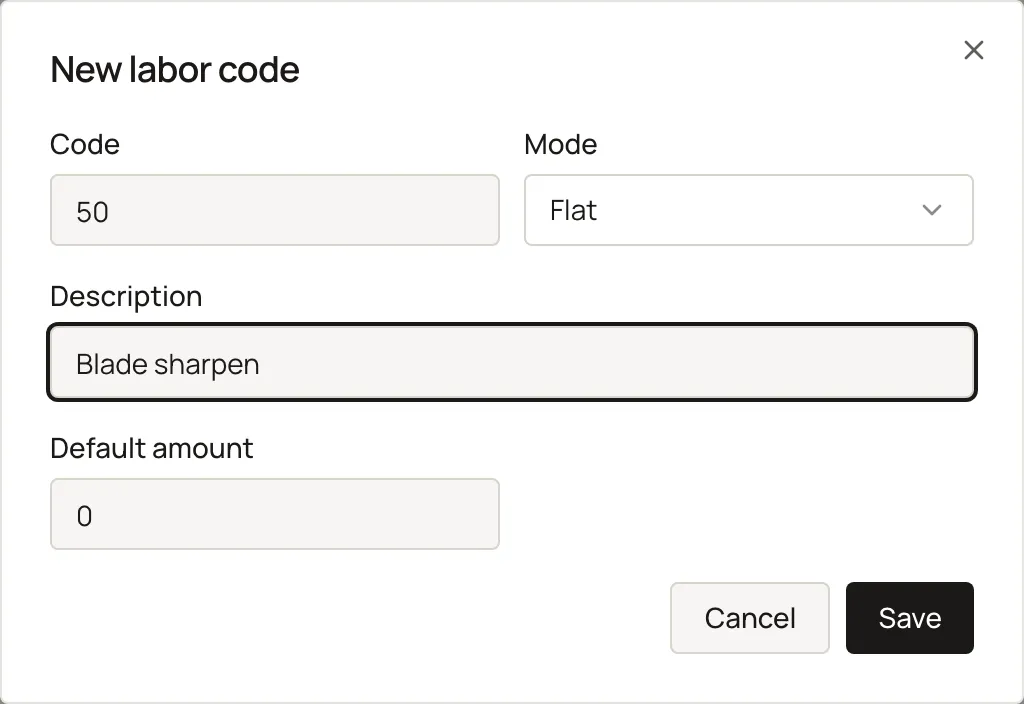
- Click Save. The code is ready to punch onto any ticket by typing its Code.
What happens to money and stock
Nothing moves here. A code's amount or rate only reaches a ticket once someone punches it onto a line.
Watch out for
- A new shop is pre-seeded with three starter codes: DIAG (Diagnose, flat $85), OIL (Oil change, flat $45), and MISC (Misc labor, hourly, 1 hour x $95). Check them, don't assume you're starting from nothing.
Not yet
No labor code import. Each code is typed in by hand, one at a time.
Updated September 16, 2026