Work orders for small engine repair: customer, machine, parts, labor, Finish.
ReedPort is small engine repair shop software for the counter, made by North Trestle LLC. You look up the customer, open the machine by serial, add parts and labor, and finish: invoice now or leave it as an order. $40 a month per shop after a 14-day trial with no card.
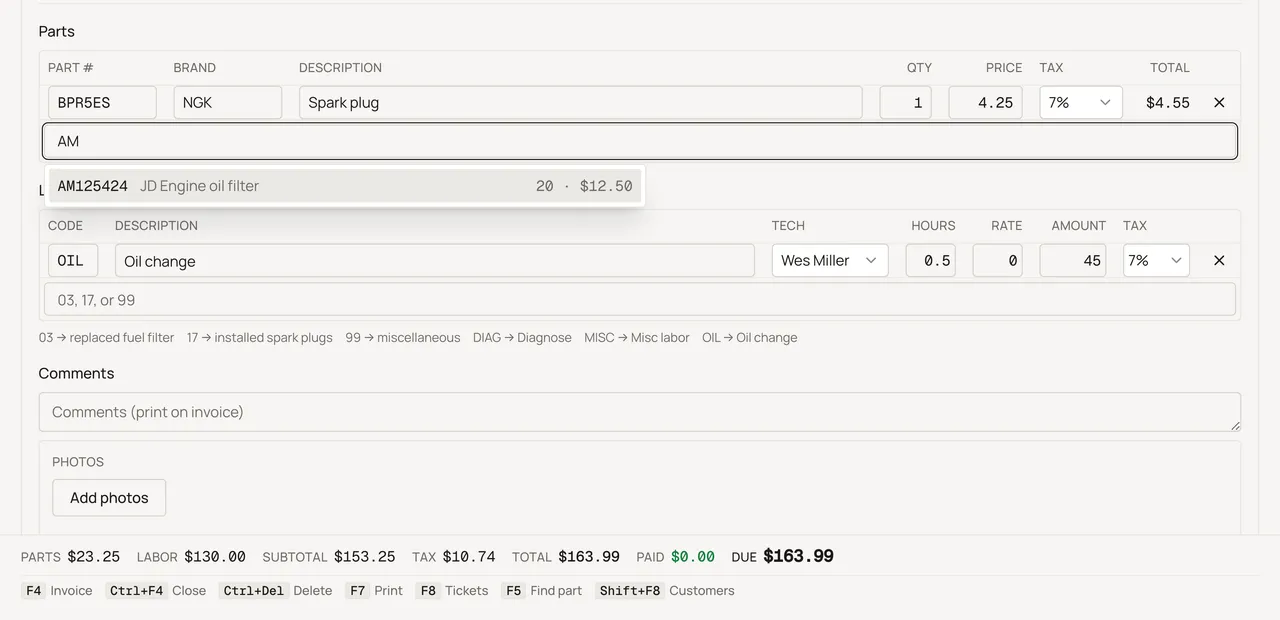
Sample shop. Made-up names and tickets.
What is a work order in a repair shop?
A work order is the record of one visit: who brought the machine in, what's wrong with it, and the parts and labor it takes to fix it. In ReedPort you open the customer, pick or add the machine by serial, then type or scan part numbers and labor codes onto the ticket. Type a one-off part that isn't on file and Enter adds it as a misc line, no catalog part needed. Type what you did on a labor line, or edit any part or labor description right on the ticket. Cost and profit open with your shop PIN, once a session. They never print on the customer's copy.
Photos and hours on the ticket
Take a photo of the machine right from the ticket and caption it, handy for what you found or a part number off a data tag. Photos stay on the shop side. They never show on the customer's invoice, and print on shop copies only if you turn that on in Settings. Type the hour-meter reading too; the machine's own page keeps the last reading and which ticket it came from.
Does it work with a barcode scanner?
Yes. Plug a USB barcode scanner into the PC. Click the part field on the ticket, scan, and the number lands as if you typed it. It works the same way on Receive and on the Equipment list for serials. There's no scanner app to install.
How much does small engine repair shop software cost?
ReedPort is $40 a month per shop, one plan, every employee included. There's a 14-day free trial and no card to start. See the full pricing page.
Finish now, or leave it open
When the work is done, finish the ticket as an invoice: print it, save it as a PDF, email it to the customer, and record cash, check, card, or a charge account. If parts are still on order, leave the ticket open and come back to it, or print a shop copy as a PDF to send with it. Either way, it stays on the machine's serial. See how equipment history works.
Start with a printable work order template or a invoice template, or read the guides for running the counter.