Start a work ticket or a sales ticket
Who this is for. Counter, shop owner.
Watch it
17 seconds, narrated, captions on. Sample shop. Made-up names and tickets.
What the clip says
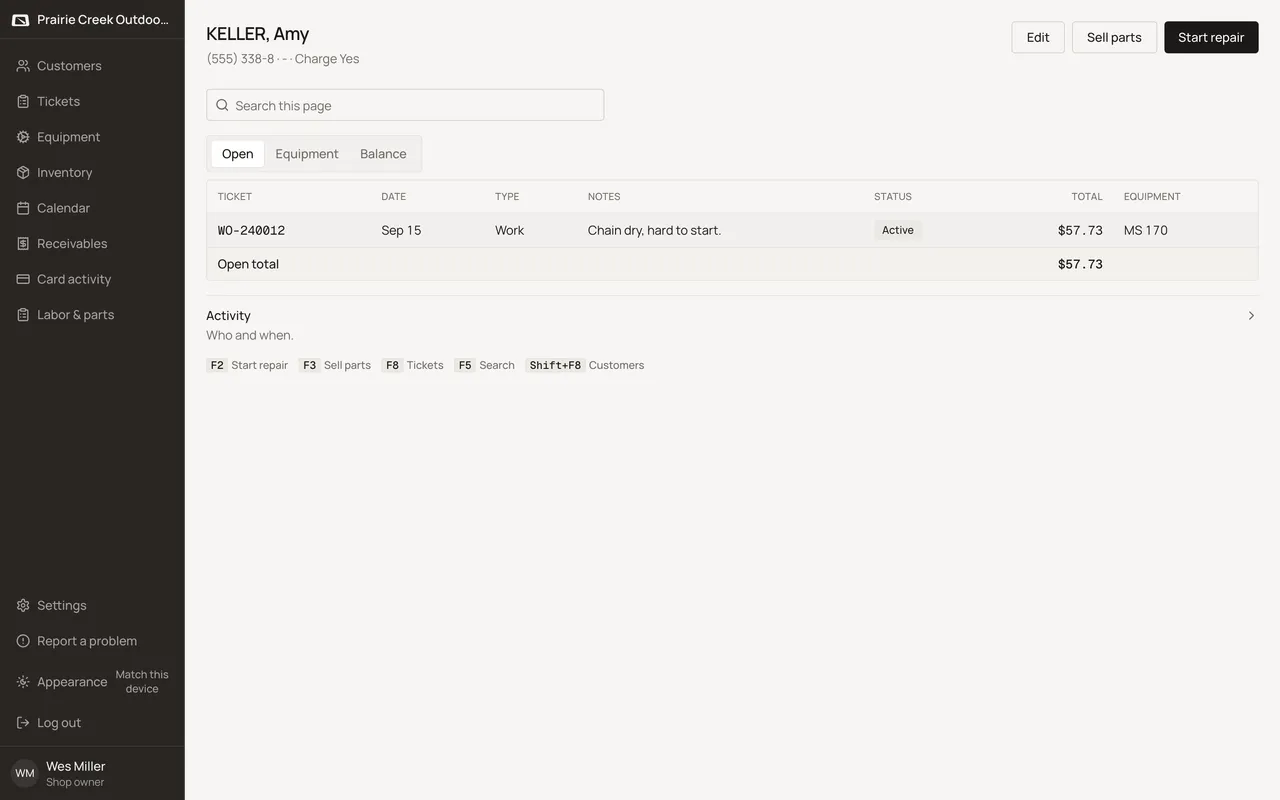
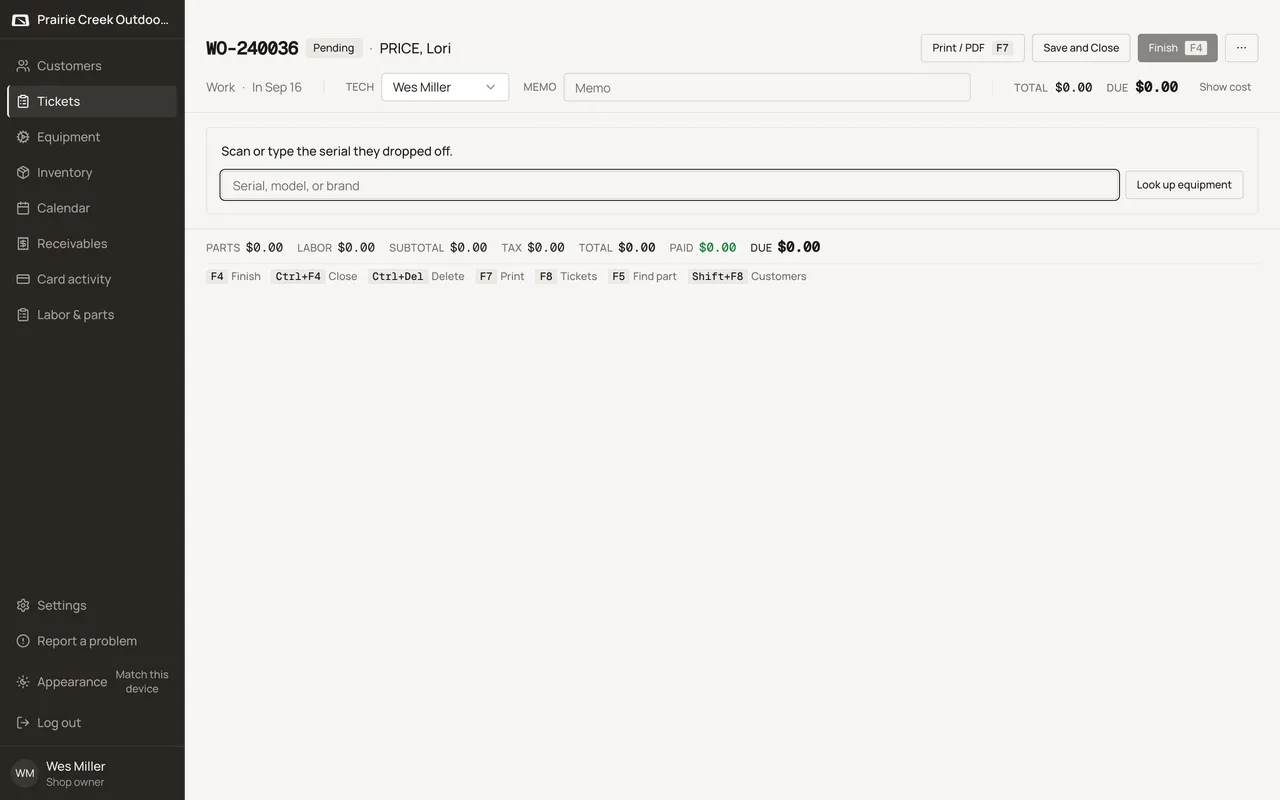
F2 on a customer's page starts a work order for them. A fresh ticket asks for the serial they dropped off. Punching it in attaches the machine, and the ticket is ready for parts and labor.
A work ticket starts from a machine. A sales ticket starts from parts alone, with no machine involved. Both begin from the customer’s page or the Tickets list.
Steps
- On the customer’s Open tab, click Start repair (F2) for a machine, or Sell parts (F3) for parts only. Start repair is hidden for the Counter Sale customer.
- From the Tickets list, + New ticket opens a customer picker with the same two choices, plus + New customer if they are not on file yet.
- Cash sale, on Customers or Tickets, is the one-click shortcut straight to a parts-only ticket on Counter Sale.
- A brand-new work ticket asks you to scan or type the serial they dropped off, with a Look up equipment button beside the field.
Keys
- F2
- Start repair, from the customer page.
- F3
- Sell parts, from the customer page.
What happens to money and stock
Creates a ticket row in Pending status. Nothing else moves yet.
Watch out for
- Start repair on a machine that already has an open ticket opens that ticket instead of creating a second one.
- A work ticket blocks Finish until at least one machine is attached.
Updated September 16, 2026