Find a machine shop-wide
Who this is for. Counter, shop owner.
Watch it
15 seconds, narrated, captions on. Sample shop. Made-up names and tickets.
What the clip says
Equipment searches every machine in the shop, not one customer's list. Serial, model, or brand all work, and a barcode scan uses the same box. Enter or a double-click opens that machine's own history.
Equipment search ranks by closest match on serial, model, or brand, and a barcode scan works the same field. Starting a repair always goes through a customer, never straight from this list.
Steps
- Click the search box, then type a serial, model, or brand, or scan it.
- Press Enter or double-click the top or selected row to open its history.
- + New equipment here asks you to search and pick an owner first. There is no anonymous machine.
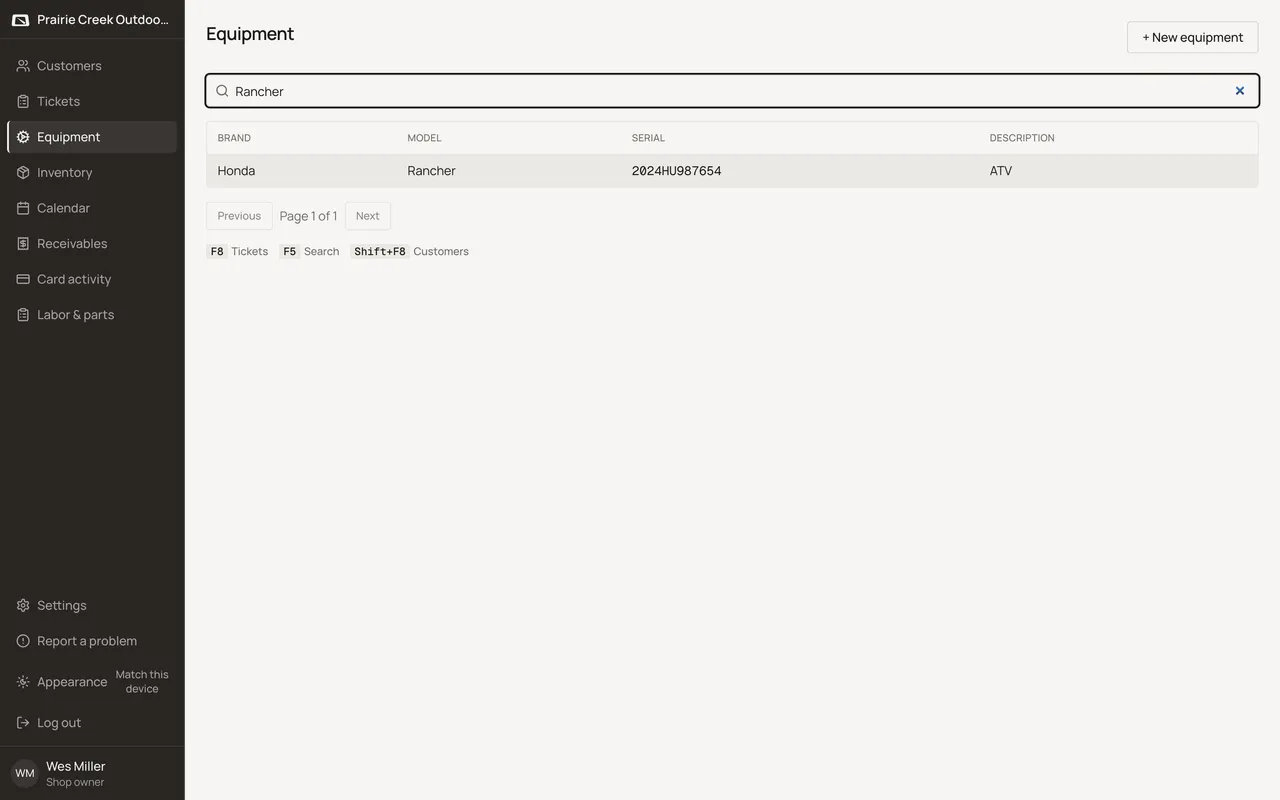
Sample shop. Made-up names and tickets.
Keys
- F5
- Focuses the search box.
What happens to money and stock
Nothing moves.
Watch out for
- Not auto-focused on page load, same as Customer search.
- No Start repair action lives here. Starting work always goes through a customer.
Updated September 16, 2026