Punch parts onto the ticket
Who this is for. Counter, shop owner.
Watch it
17 seconds, narrated, captions on. Sample shop. Made-up names and tickets.
What the clip says
The last row of the parts grid is the punch field. Typing a part number shows the closest matches, with on-hand and retail. Picking one adds a line, priced and costed from the product.
The parts grid’s last row is a punch field. Type a part number, scan a barcode, or type a few words of the description, and the closest matches come back with price and cost already attached.
Steps
- Open a machine’s section on the ticket. The parts grid’s last row is the punch field, placeholder Part #, barcode, or Kawasaki oil.
- Type a part number, a barcode, or a few words of the description. A popover opens below the field with the closest matches: Brand, Description, on-hand, retail.
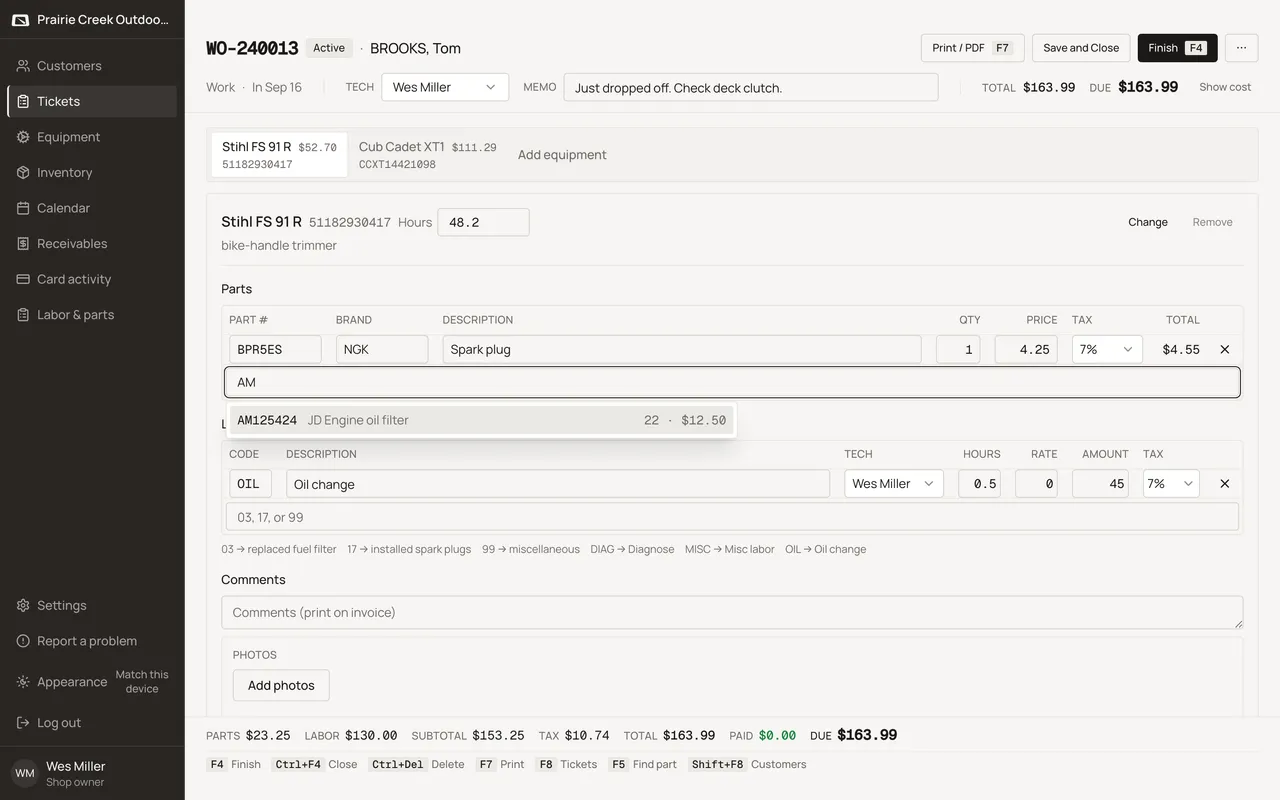
- Picking a row adds a line to the grid. Price and cost snapshot from the product right then. A later change to that product in Settings or Inventory does not reach back and change this line.
- Press F5 to open Look up part, a bigger search away from the punch field, for when the closest-match list is not enough.
- A USB barcode scanner needs no special mode. Point it at the code and it types the value into whichever field is focused, then Enter.
- On a touch device, a Camera button sits beside the punch field. Tap it, point the camera at the barcode, and the scanned value fills the field the same way a keyed scan would.
- Typed or scanned text for a part that is not on file gets two ways out: Create “<text>” opens a short dialog to add the part on the spot, or Misc part · “<text>” adds a line with that description and no product behind it.
Keys
- F5
- Opens Look up part, a bigger search away from the punch field.
What happens to money and stock
Adding a line does not touch on-hand. On-hand only moves at Finish, Receive, or a staff adjust.
Watch out for
- Part #, Brand, and Description are editable per line after adding, but those edits never write back to the product catalog.
- Cost and Profit columns stay hidden until Show cost unlocks them.
Updated September 16, 2026