Add a customer
Who this is for. Counter, shop owner.
Watch it
13 seconds, narrated, captions on. Sample shop. Made-up names and tickets.
What the clip says
Plus New customer opens the form for someone new. Only last name is required. First name, phone, and email can wait. Save customer files them and opens their page.
Only last name is required to save a customer; everything else, including first name, can stay blank. Charge and Tax exempt live on the same form, each revealing its own fields when checked.
Steps
- Click + New customer on the Customers list, or inside the New ticket picker.
- Fill Last name at minimum, plus First name, Phone, Email, Charge, and Tax exempt as you know them. Charge needs a phone or email on file; Tax exempt opens Exemption # and Expires.
- Click Save customer, Save and start repair, or Save and sell parts.
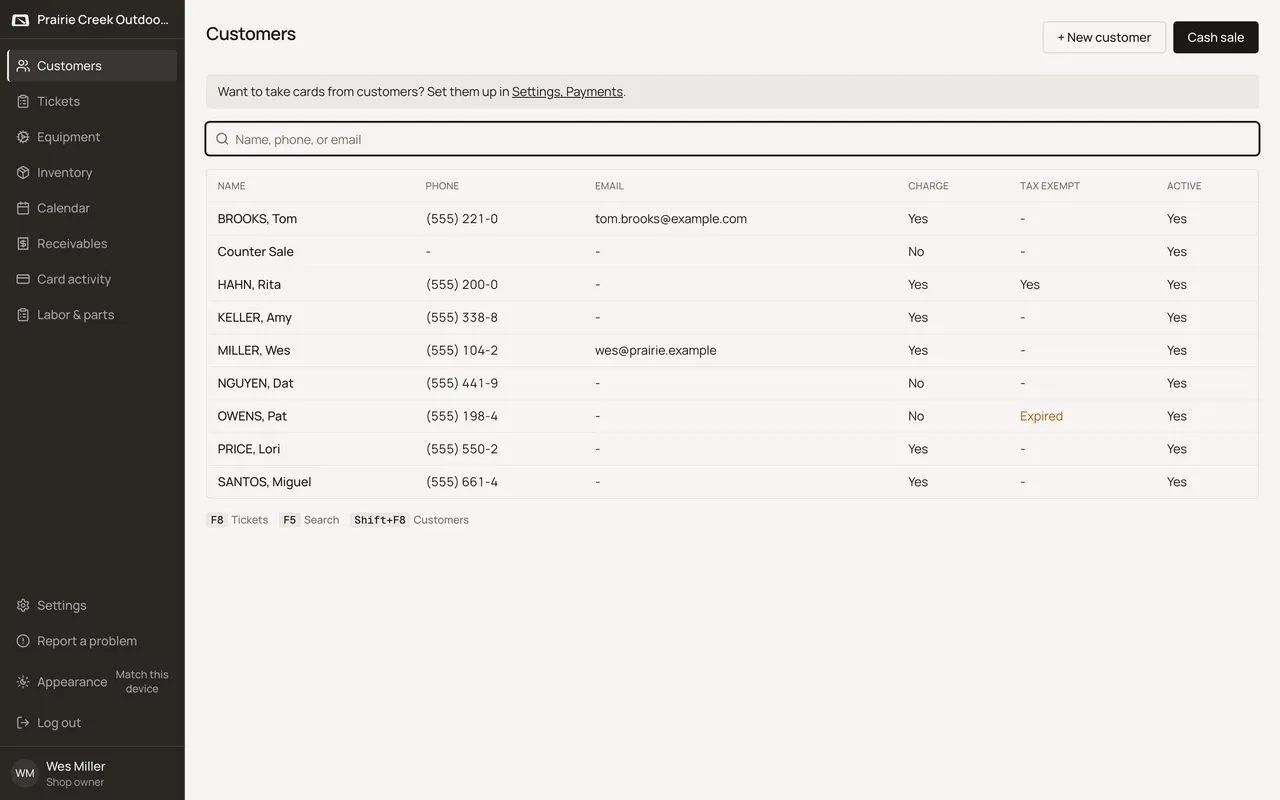
Sample shop. Made-up names and tickets.
What happens to money and stock
Nothing moves. Saving a new customer creates no ticket and no invoice.
Watch out for
- Only last name is required. First name, phone, and email can all be blank.
- Charge needs a phone or email on file.
- To bring many people at once, use Bring a list on Customers.
Updated September 17, 2026