Add a machine
Who this is for. Counter, shop owner.
Watch it
18 seconds, narrated, captions on. Sample shop. Made-up names and tickets.
What the clip says
Plus New equipment on the Equipment tab files a machine for this person. Brand, model, and serial are the only fields that matter. Save adds it to their machines. A repeat serial opens a clash instead of a silent duplicate.
Brand, Model, and Serial are required; Engine details and a purchase date are optional. Saving a serial already on file opens a clash dialog instead of quietly duplicating it.
Steps
- Click + New equipment from the customer’s Equipment tab, the shop-wide Equipment list, or a ticket’s serial field.
- Fill Brand, Model, and Serial, plus Engine and purchase details if known.
- A serial already on file opens a clash dialog instead of saving a duplicate. From a ticket, it offers to transfer the machine or use the existing one on this ticket.
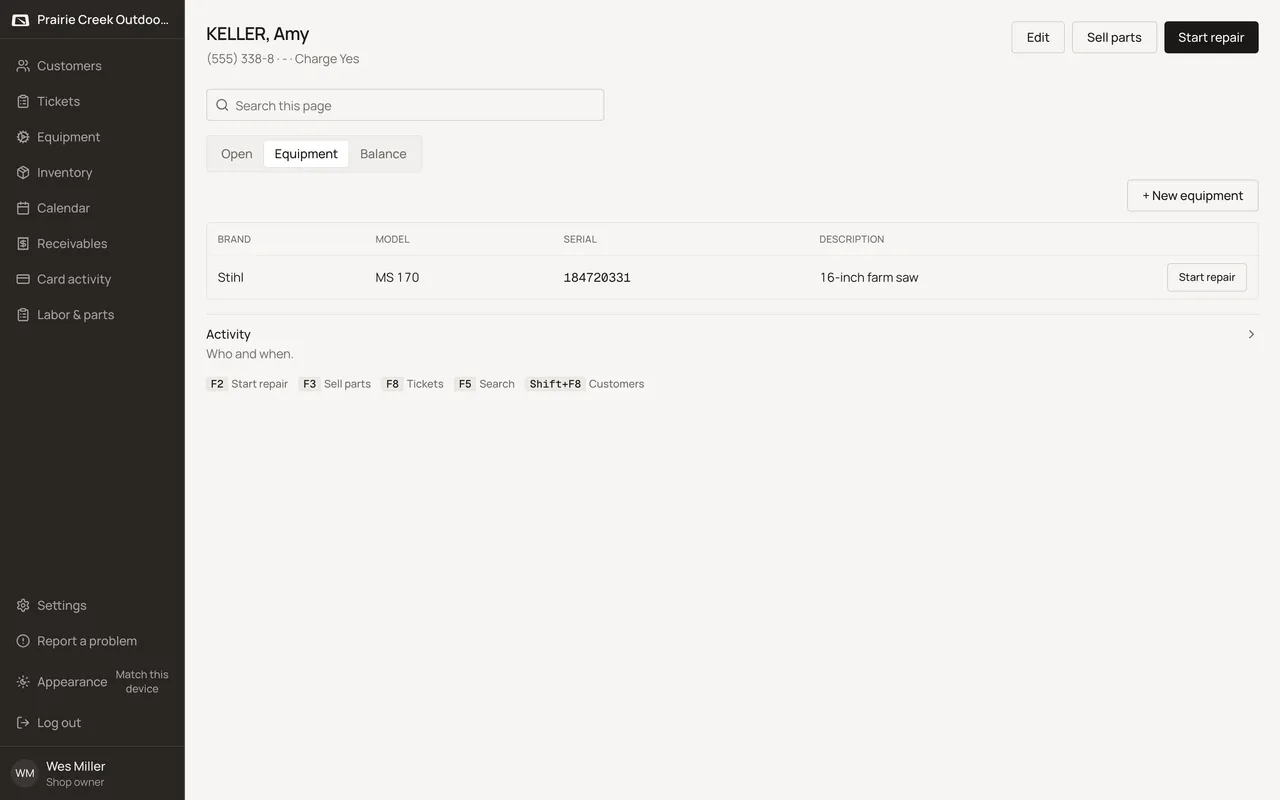
Sample shop. Made-up names and tickets.
What happens to money and stock
Nothing moves.
Watch out for
- Saving a serial that's already on file opens a clash dialog instead of a silent duplicate.
Not yet
There is no way to attach a machine to more than one customer at once. Transfer it if the owner changes.
Updated September 16, 2026