Open a customer's page
Who this is for. Counter, shop owner.
Watch it
13 seconds, narrated, captions on. Sample shop. Made-up names and tickets.
What the clip says
Open shows that person's open tickets and the running total. Equipment lists the machines on file for them. Balance shows what they owe, with Apply payment for Charge customers.
A customer’s page has three tabs: Open tickets, Equipment they own, and Balance if they carry a Charge account. An Activity timeline below the tabs logs everything that happened, closed by default.
Steps
- Open lists that person’s open tickets, with Edit, Sell parts, and Start repair.
- Equipment lists their machines, with + New equipment and a per-row Start repair.
- Balance shows aging and invoices for Charge customers, with Apply payment.
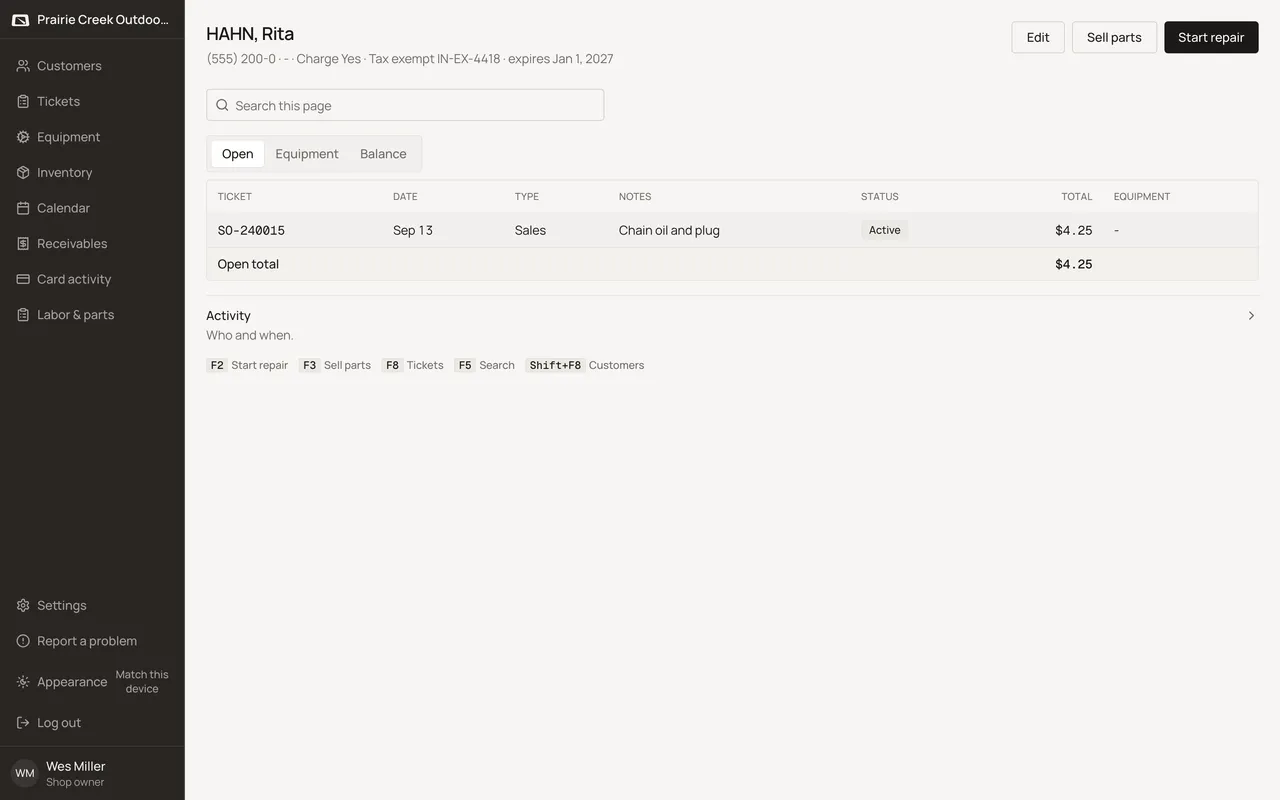
Sample shop. Made-up names and tickets.
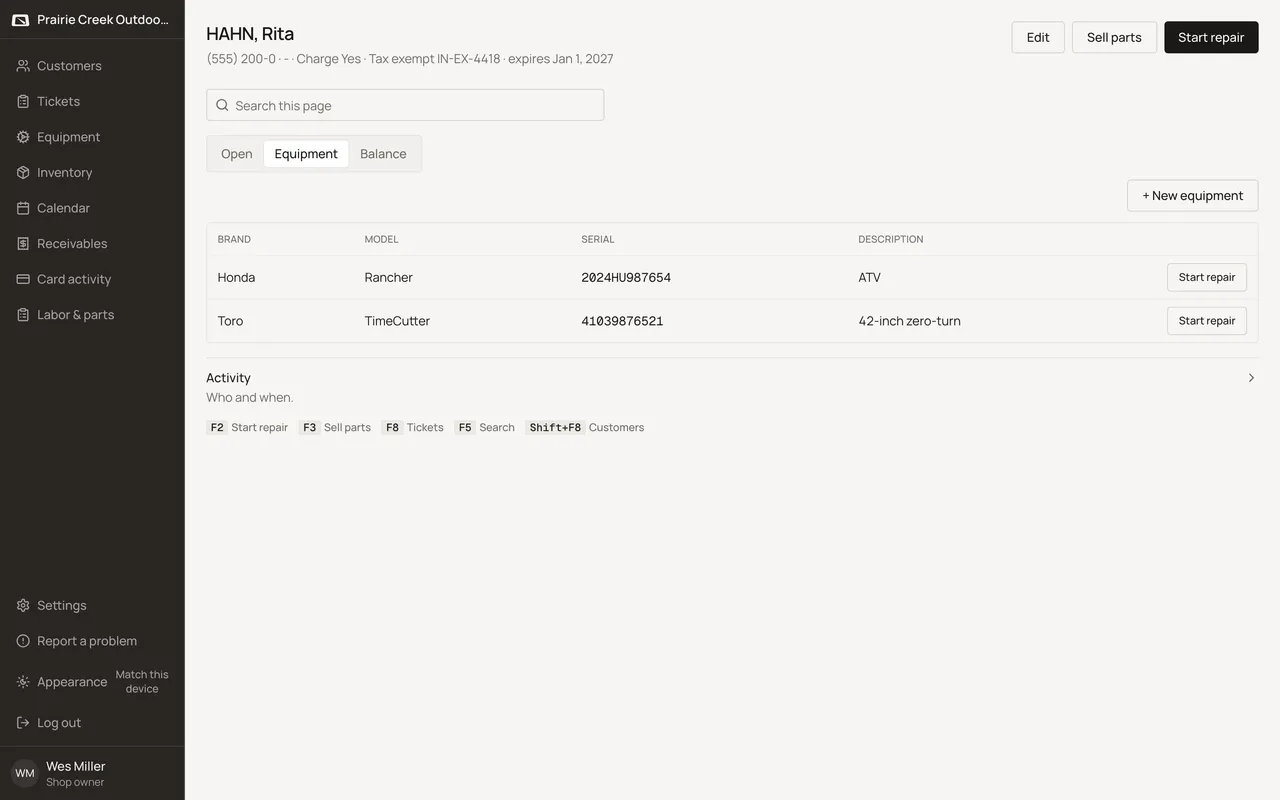
Sample shop. Made-up names and tickets.
What happens to money and stock
Nothing moves. This page only shows what is already on file.
Watch out for
- This tab shows as Balance on screen. Its own web address ends in ?tab=account, the same tab under an older name.
- Apply payment is hidden entirely for customers who are not Charge.
Not yet
There is no way to finish more than one open ticket at once from here. Each ticket finishes on its own.
Updated September 16, 2026