Search inventory
Who this is for. Counter, shop owner.
Watch it
12 seconds, narrated, captions on. Sample shop. Made-up names and tickets.
What the clip says
Sign in and open Inventory. Search works across the part number and description. Cost sits right in this list, with no PIN needed here.
The Inventory list has no PIN gate; Cost and on-hand sit in plain columns for any signed-in staff. A footer totals inventory value across whatever rows are visible.
Steps
- Search by part number, barcode, brand, or description. Check Active only to hide retired parts.
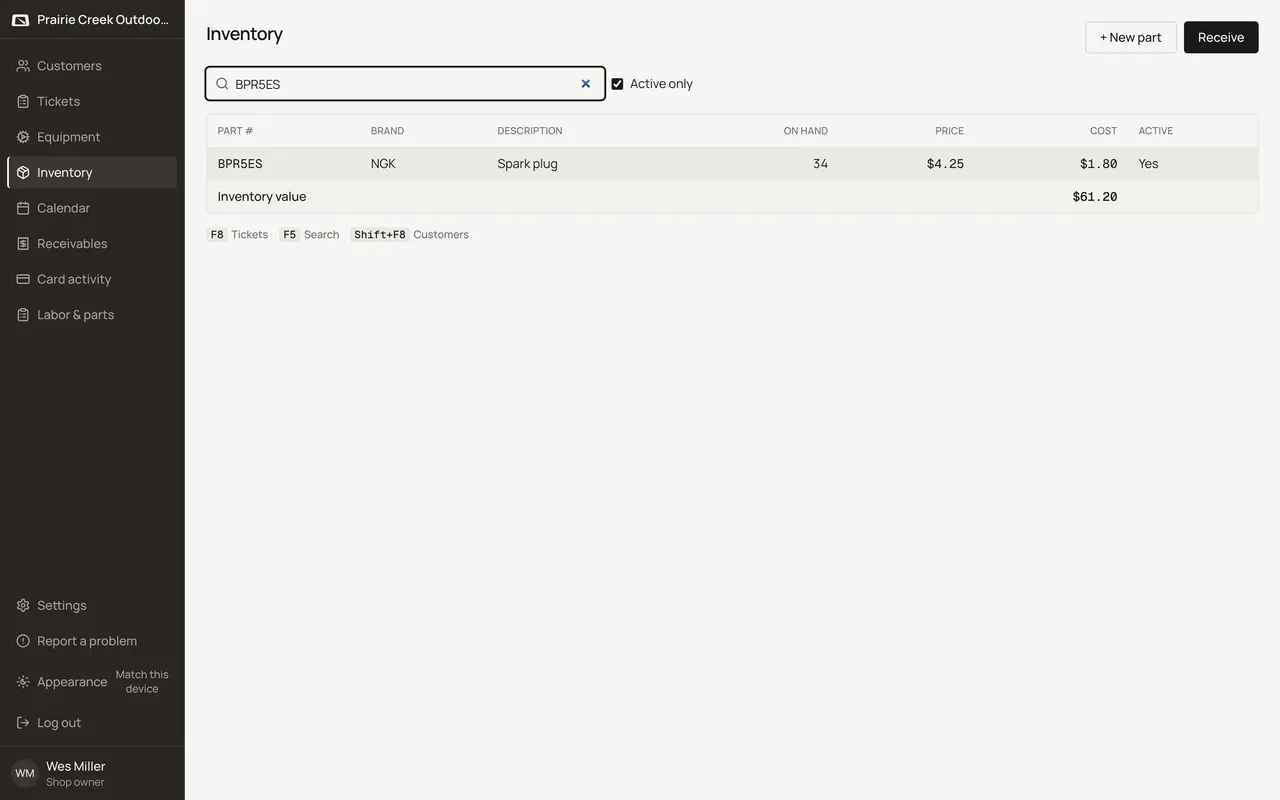
- Open a row for its history, or click Receive to bring in stock.
What happens to money and stock
Nothing moves.
Watch out for
- Cost is a plain staff column here. No shop-code gate on this page, unlike the ticket's Show cost toggle.
Not yet
There is no low-stock alert or reorder point on a part.
Updated September 17, 2026