Create or adjust a part
Who this is for. Counter, shop owner.
Watch it
21 seconds, narrated, captions on. Sample shop. Made-up names and tickets.
What the clip says
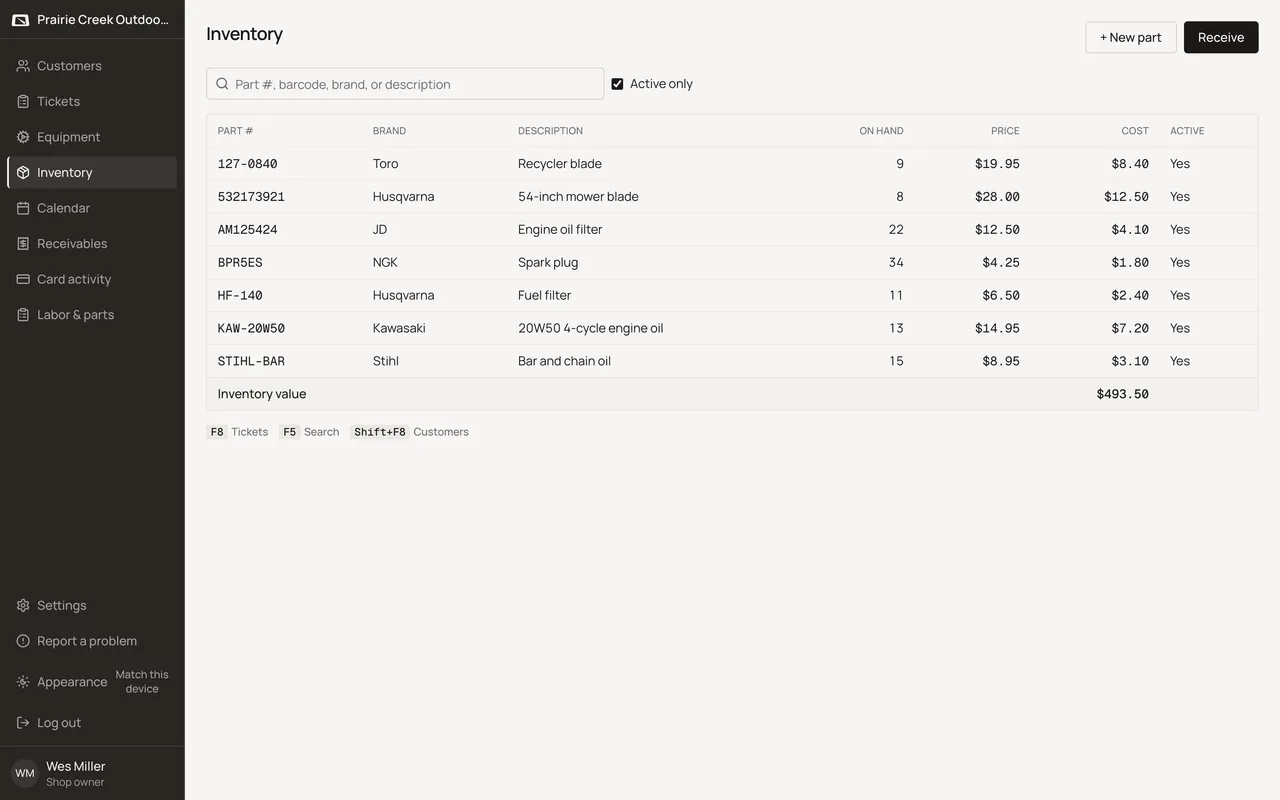
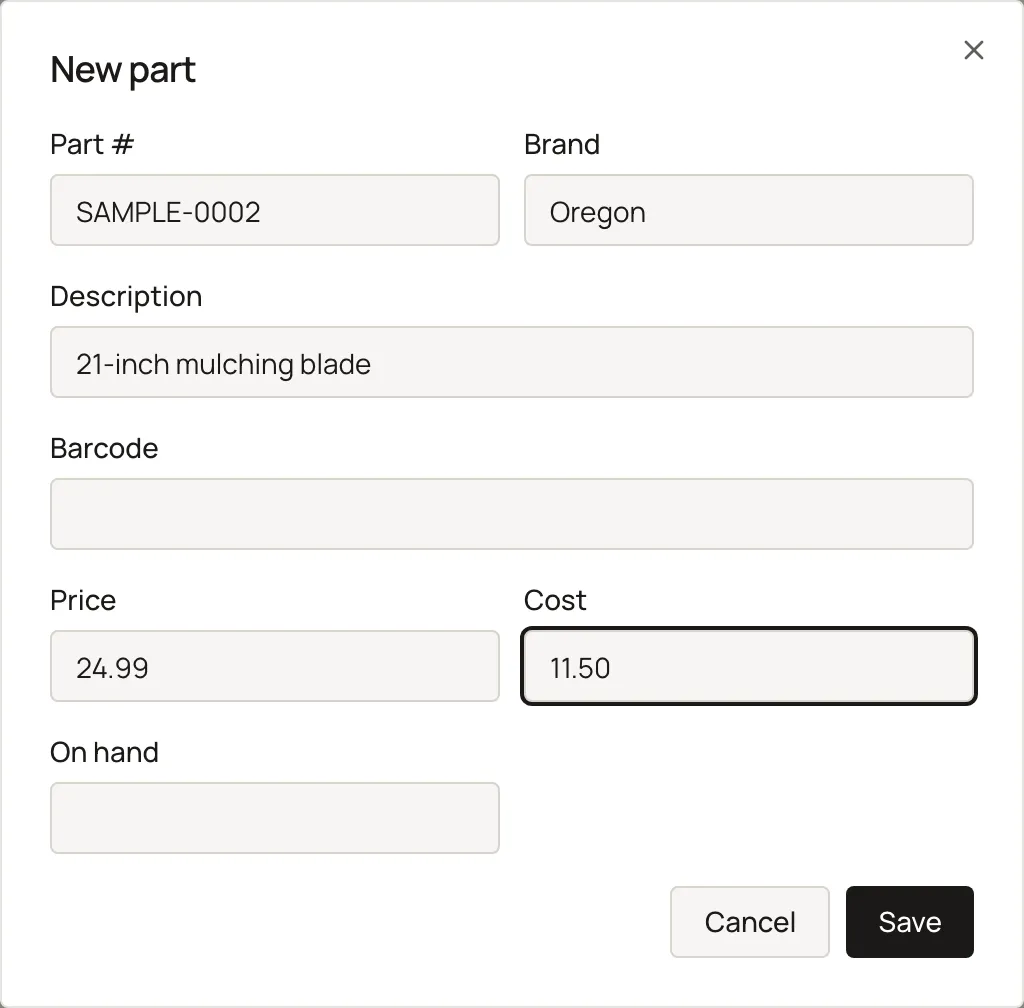
Sign in and open Inventory. New part opens a blank part record. Part number, brand, and description identify it. Price and cost. On hand is left at zero. Save adds it to the shelf, ready to receive against.
New part asks for Part #, Brand, Description, Barcode, Price, and Cost; on-hand defaults to zero and is optional. Edit reopens the same fields, labeling on-hand explicitly as a staff adjust.
Steps
- Click + New part, or Edit an existing one.
- Fill Part #, Brand, Description, Barcode, Price, and Cost. On hand is optional and defaults to zero on a new part.
- Save. On an existing part, the On hand field is labeled On hand (staff adjust), and a staff edit there posts an adjust movement.
What happens to money and stock
Editing on-hand directly here posts an adjust movement; editing Cost changes the part's current cost going forward without touching past ticket-line snapshots.
Watch out for
- Negative on-hand is allowed shop-wide and never blocked.
Not yet
Bring a list adds part records at on-hand zero. Stock still arrives on Receive, tickets, or a staff adjust.
Updated September 17, 2026