Add a card and start paying
Who this is for. Shop owner.
Watch it
15 seconds, narrated, captions on. Sample shop. Made-up names and tickets.
What the clip says
Settings, Billing tab, on a fresh trial shop. Status, plan, and the $40 a month price sit here. Pay $40 a month opens Stripe Checkout to add a card. That page is Stripe's own.
Settings, Billing is the shop’s own $40 a month ReedPort bill. It is a different Stripe relationship from Settings, Payments, which takes the shop’s customers’ cards.
Steps
- Settings, Billing tab, click Pay $40 a month.
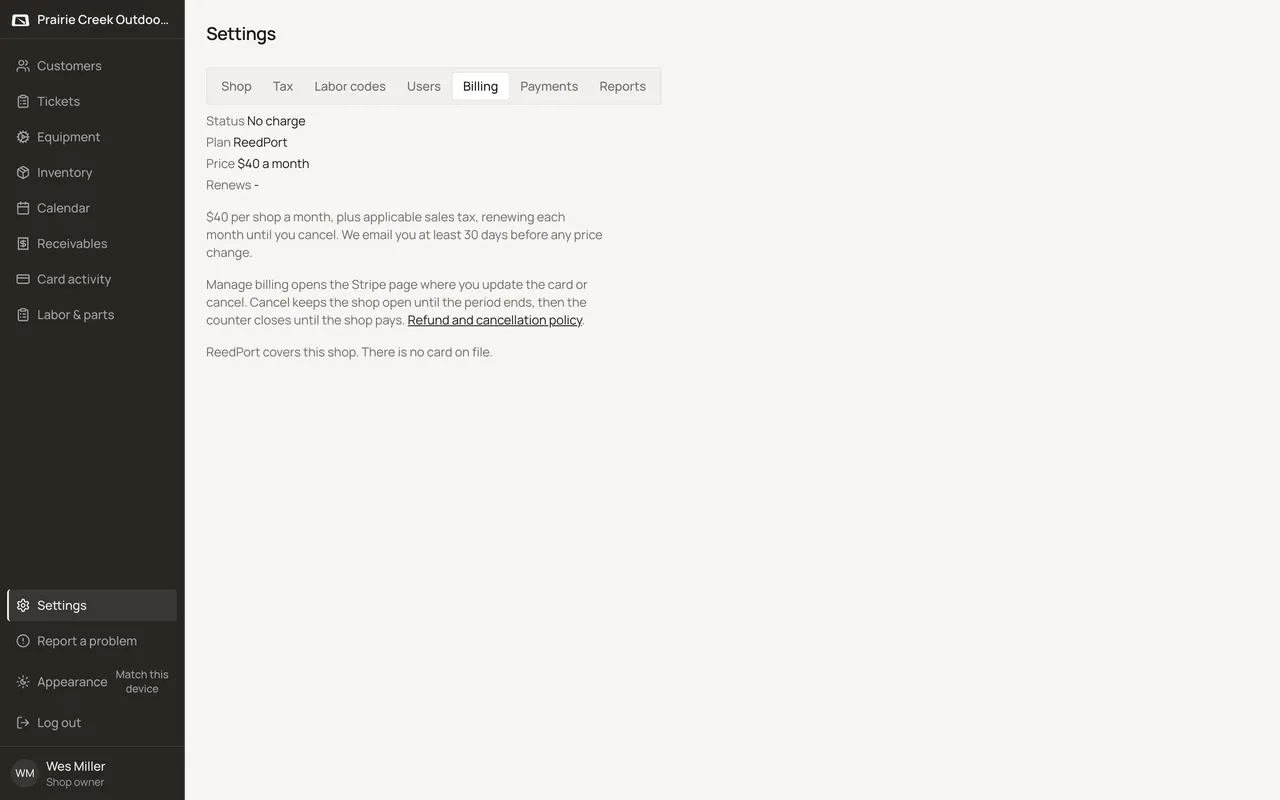
- Pay in Stripe Checkout, then wait for the redirect back to ReedPort to confirm.
- Once a card is on file, the same tab shows Manage billing instead, which opens the Stripe customer portal to change the card or cancel.
What happens to money and stock
None in-app; Stripe owns the charge itself.
Watch out for
- Manage billing before any Stripe customer exists shows "Billing is not set up for this shop yet."
- Canceling keeps the shop open until the period ends, not instantly. The counter only closes once that period runs out unpaid.
Not yet
No way to pay by check or invoice for the ReedPort bill itself. Stripe Checkout is the only way to pay it.
Updated September 16, 2026