Apply a payment from Receivables
Who this is for. Counter, shop owner.
Watch it
21 seconds, narrated, captions on. Sample shop. Made-up names and tickets.
What the clip says
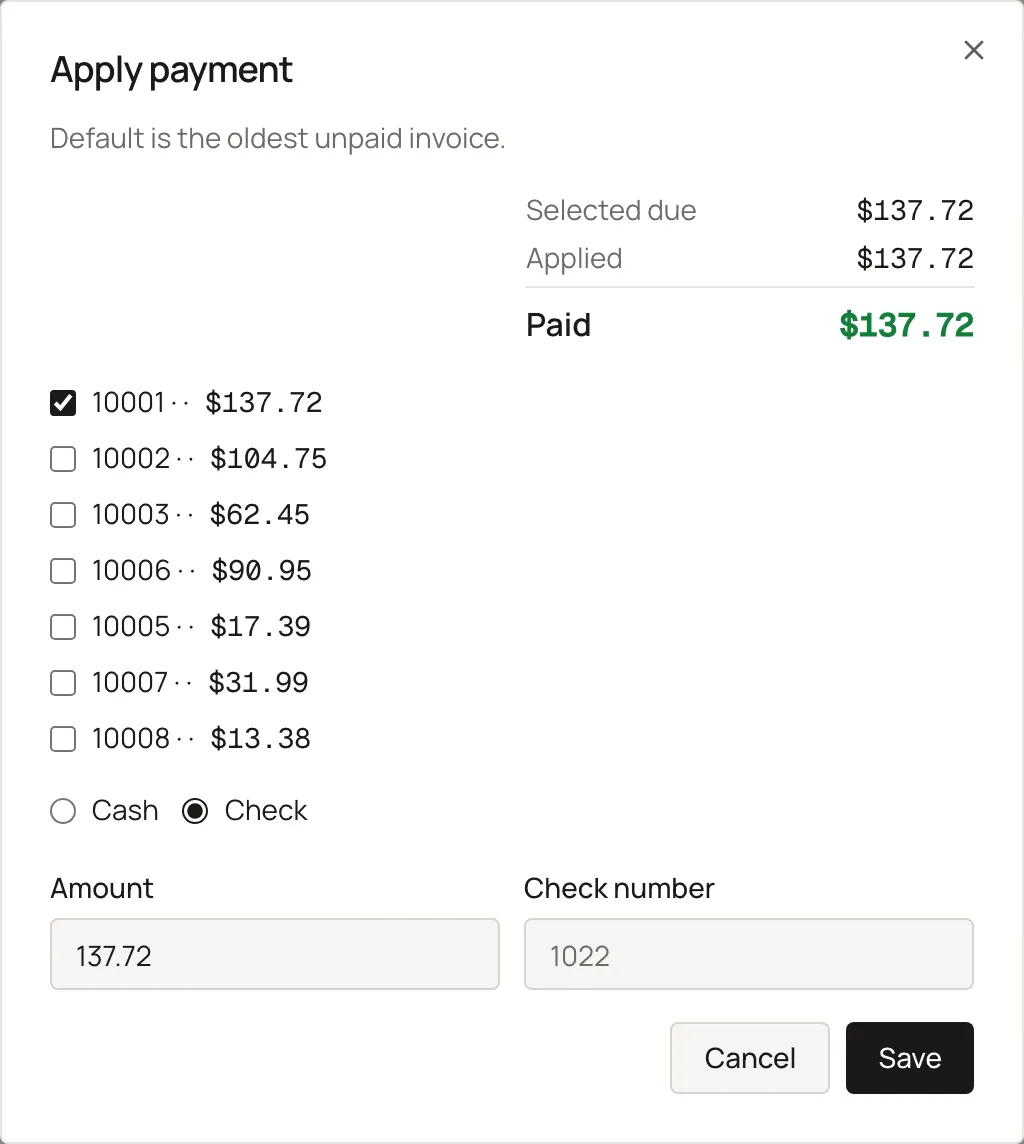
Sign in and open Receivables. Every shop-wide unpaid Charge invoice lands here, oldest first. Pick a row, then click Apply payment. Cash is picked, and the balance owed is already filled in. Save records the payment against that invoice. A paid invoice drops off this list.
Receivables lists every shop-wide unpaid invoice for Charge customers, with an aging strip once there is at least one. The same aging and apply pattern repeats on a single person’s Balance tab.
Steps
- Click a row to select it, or press Enter or double-click to open it.
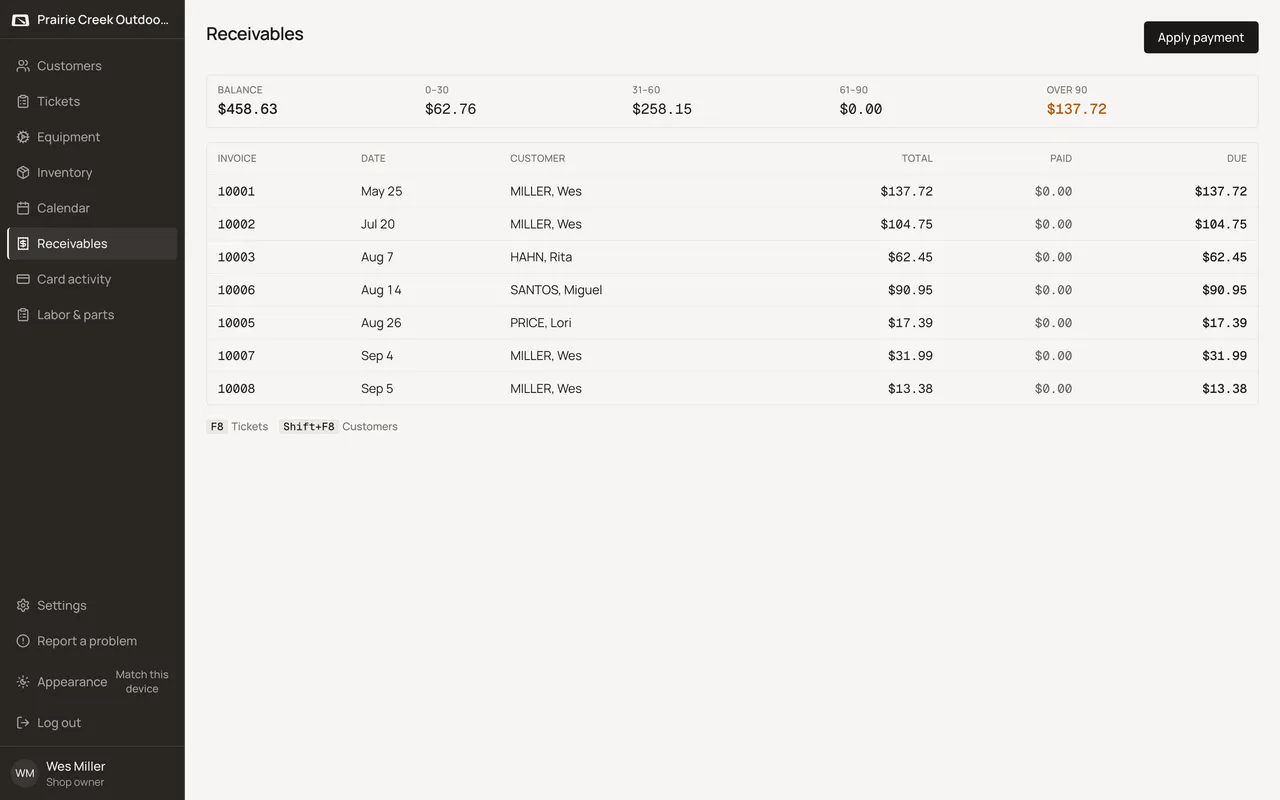
- Click Apply payment, defaulting to the selected row or the oldest unpaid. The dialog opens defaulted to Check.
What happens to money and stock
Applying a payment posts a Payment against the invoice; a card tender can hand off to Stripe Connect if it's ready.
Watch out for
- Counter Sale never appears here. It's Charge customers only.
- This is a flat unpaid-invoices list with aging buckets, not a full ledger.
Not yet
There is no way to export receivables to accounting software.
Updated September 16, 2026