Finish the ticket and take payment
Who this is for. Counter, shop owner.
Watch it
25 seconds, narrated, captions on. Sample shop. Made-up names and tickets.
What the clip says
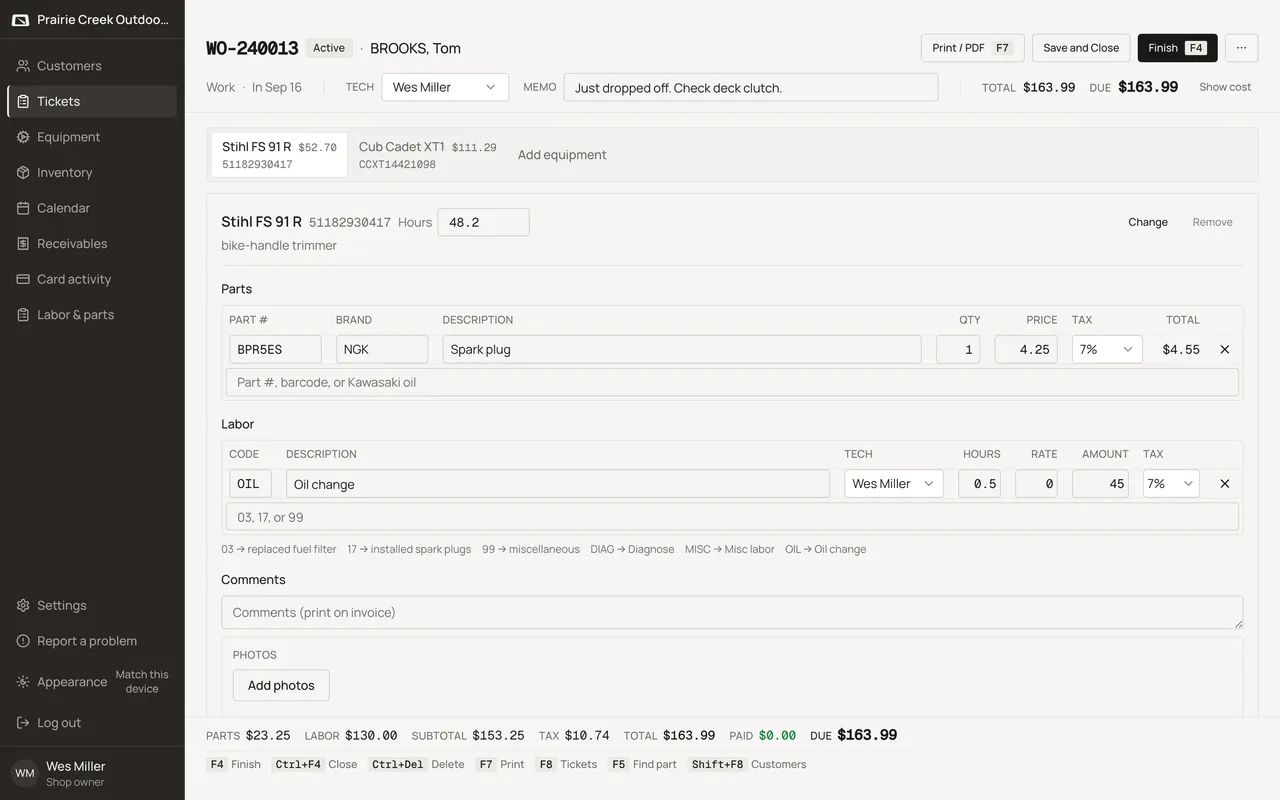
Sign in and open the ticket once the job is done. Add the last labor line before closing it out. Press F4, or click Finish, to close it out. Invoice customer is already picked. Cash fills the full amount due with one Enter. Finish posts the invoice and takes the cash in the same step.
Finish opens a dialog titled Finish ticket, with a choice to bill now or Leave open. A Charge customer can leave the amount at 0 and park the balance on receivables.
Steps
- Click Finish, or press F4. The dialog is titled Finish ticket.
- Pick Invoice customer to bill it now, or Leave open to save the ticket and come back later. Leave open shows no tender fields at all, and the button at the bottom of the dialog reads Leave open instead of Finish.
- When invoicing, Email the invoice PDF is checked by default and prefilled with the customer’s email if one is on file. Copies defaults to 1.
- Enter cash, check, or card. A non-Charge customer must pay in full; a Charge customer can leave the amount at 0 to park the balance on receivables.
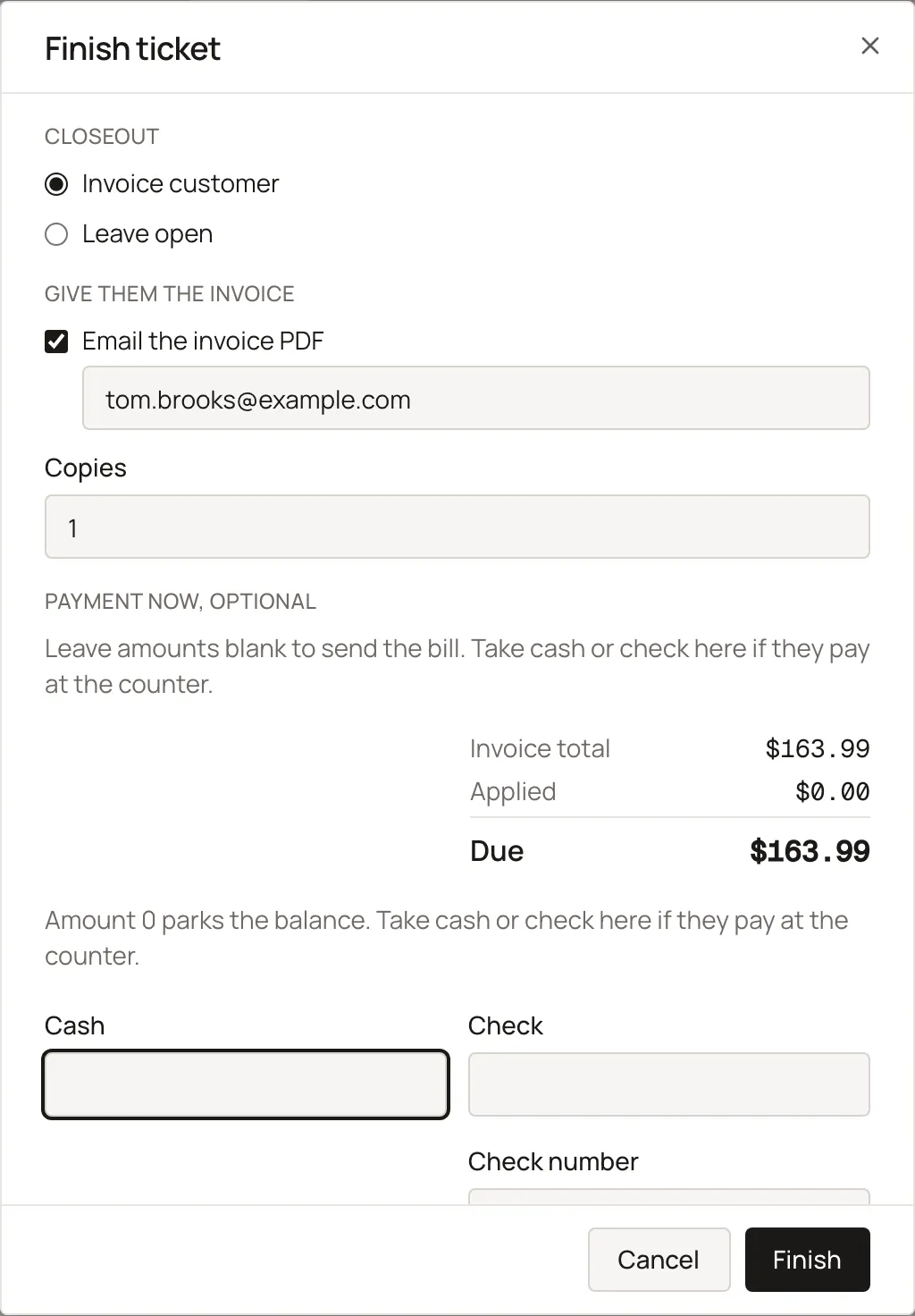
- Enter finishes the ticket from any tender field. In the Cash field, Enter on a blank amount fills in the exact Due first; press Enter again, or press Enter in the Check, Check #, or Card field, to finish it.
- Finish stamps the ticket’s Done / Out date (next to In, in the ticket header) with today, but only if that field is still blank. A Done / Out date already set by hand is left alone.
- A banner confirms what happened: “Paid in full.” or “Balance $X.XX parked. They can pay cash or check later.” The header buttons then swap to Print invoice, Email invoice, Take payment, or View invoice.
Keys
- F4
- Opens Finish ("Finish ticket").
What happens to money and stock
Finish posts an invoice movement per part line (on-hand can go negative, never blocked) and creates the Invoice; Leave open touches neither.
Watch out for
- A work ticket blocks Finish until a machine is attached.
Not yet
There is no way to take a deposit before the ticket is finished, and no way to finish more than one ticket at once.
Updated September 16, 2026